Types of Computer Mouse Best Options for Every Need, Guide
Published: 24 Apr 2026
Do you ever feel wrist pain, slow cursor movement, or poor control while using your mouse for long hours? These problems often come from using the wrong types of computer mouse for your needs. Many users continue working with a basic mouse even when it does not support comfort or speed.
I have seen people struggle with fatigue at work or while gaming until they switch to a better option. The right mouse type can improve comfort, reduce strain, and make your daily tasks much smoother. In this guide, we have covered the main options to help you understand which one fits your work, gaming, or daily use in a better way.
Types of Computer Mouse Step By Step
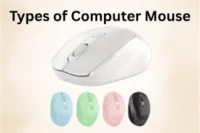
Types of computer mouse work in different ways, and each type is designed for a specific use. If you think all mice are the same, you might be surprised after learning how much they differ in speed, comfort, and control.
Here are the main types of computer mouse:
- Wired Mouse
- Wireless Mouse
- Optical Mouse
- Laser Mouse
- Gaming Mouse
- Ergonomic Mouse
- Trackball Mouse
- Bluetooth Mouse
- Vertical Mouse
- Air Mouse
Let’s take a closer look at the different types of computer mouse and understand which one fits your needs best.
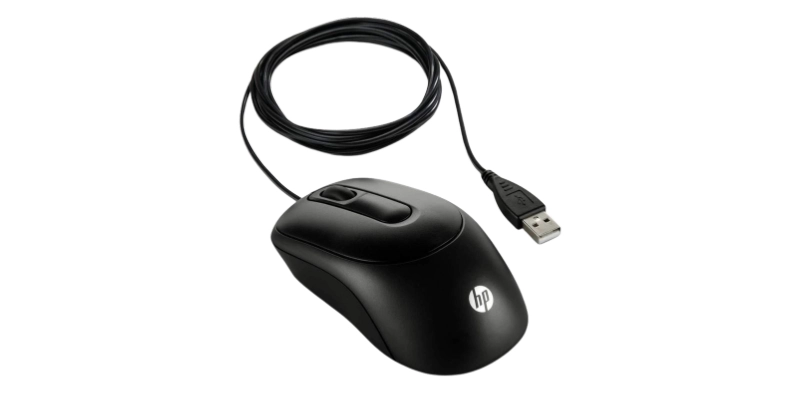
1. Wired Mouse
A wired mouse connects to a computer using a physical cable. It delivers quick response and steady performance during daily tasks. Many users choose it when they want consistent control without any interruption. You can start using it instantly after plugging it into a port. It stays active all the time without needing a power backup. This option suits users who work for long hours without breaks.
Features:
- Stable connection through a direct cable
- No charging or battery needed
- Fast response during continuous use
- No signal delay or interference
2. Wireless Mouse
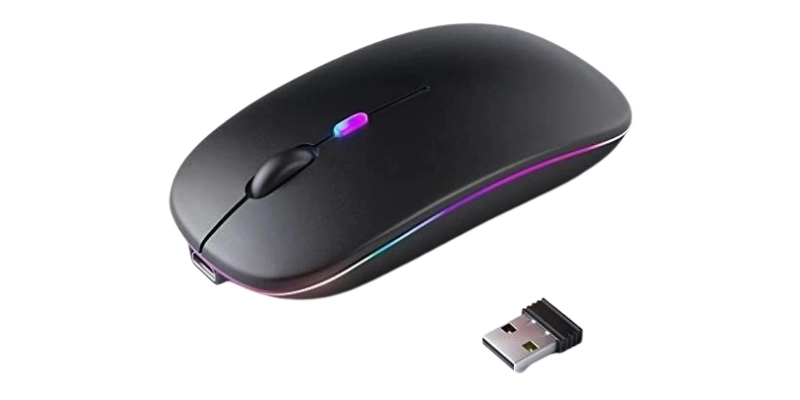
A wireless mouse gives you freedom to move without any attached wires. It connects to devices using Bluetooth or a small receiver. People like it because it keeps their workspace neat and flexible. You can use it comfortably from different positions without restriction. It usually runs on replaceable or built-in rechargeable power. This makes it a good choice for portable setups.
Features:
- Freedom from cable restrictions
- Connects via Bluetooth or receiver
- Keeps workspace neat and clean
- Easy to carry anywhere
- Powered by a battery or rechargeable
3. Optical Mouse
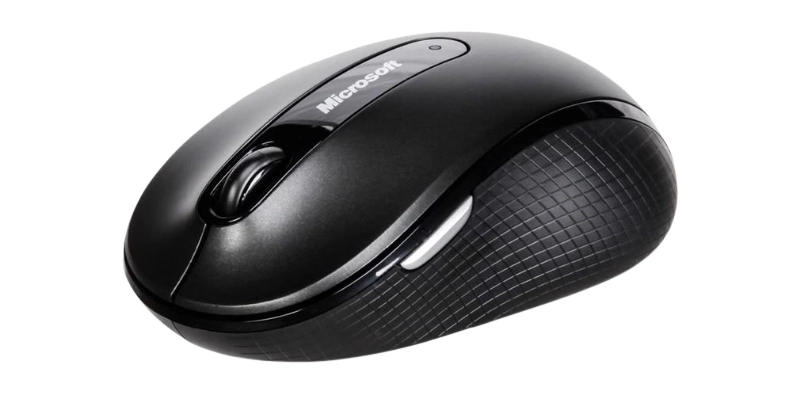
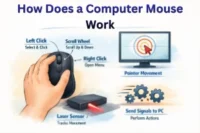
An optical mouse tracks movement using light-based sensor technology. It performs smoothly on flat surfaces without needing extra support. Many users prefer it for accurate pointer control in daily work. It reacts quickly to hand movement and improves precision. This type is commonly used in offices, schools, and homes. It offers a simple design with reliable performance.
Features:
- Uses a light sensor for tracking
- Works well on flat surfaces
- Accurate pointer control movement
- Quick response to hand motion
- Requires very low maintenance
4. Laser Mouse
A laser mouse relies on advanced tracking to deliver very fine cursor accuracy. It performs well on surfaces where other mice may not respond properly. Professionals often choose it for tasks that require careful attention to detail and steady handling. It reads even tiny hand shifts without losing direction. This type supports both quick actions and slow adjustments with ease. It fits users who want smooth performance across different work setups.
Features:
- Advanced tracking with fine accuracy
- Works on uneven and glossy areas
- Reads tiny hand shifts clearly
- Supports steady and fast actions
- Reliable on multiple surface types
5. Gaming Mouse
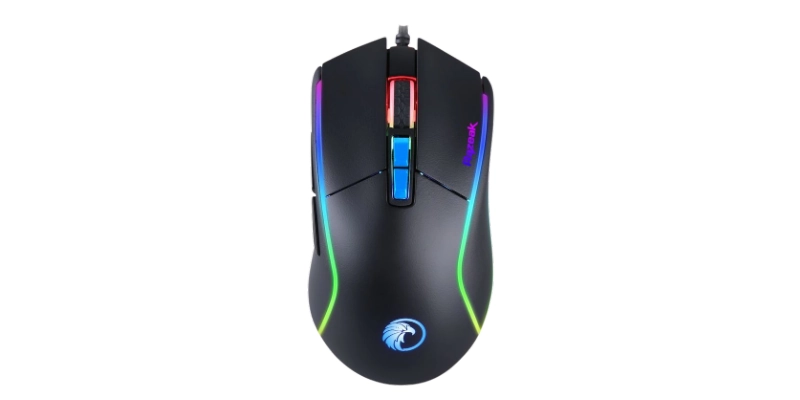
Speed matters most when every second counts during gameplay. A gaming mouse helps you react faster with better click response and control. It includes extra buttons to manage actions without using the keyboard. Players use it to improve timing and overall performance. Its design supports firm handling during long sessions. This type suits users who enjoy competitive or casual gaming.
Features:
- Quick click response for fast play
- Extra buttons for action control
- Smooth tracking during rapid moves
- Firm hold for longer sessions
- Built for gaming performance needs
6. Ergonomic Mouse
Comfort becomes important when you spend hours on a computer. An ergonomic mouse supports your hand in a relaxed and natural shape. It helps lower pressure on your wrist during continuous use. Many people choose it to avoid discomfort in daily work. It allows gentle movement without forcing your hand position. This option works best for users who focus on comfort and health.
Features:
- Natural shape for hand support
- Reduces pressure on the wrist area
- Allows relaxed hand positioning
- Suitable for extended computer use
- Focused on comfort and ease
7. Trackball Mouse
Unlike regular devices, this mouse stays in one place while you control the pointer with a rotating ball. You move the cursor by rolling the ball using your fingers or thumb. This design reduces the need to shift your arm across the desk. People often choose it when they have limited workspace. It also feels easier to handle once you get used to the motion. This option suits users who prefer finger-based navigation instead of full hand movement.
Features:
- Stationary base with rotating ball
- Controlled using the thumb or fingers
- Saves desk space effectively
- Reduces the need for arm motion
8. Bluetooth Mouse
No extra device is needed to connect this mouse to your system. It links directly through built-in wireless support on laptops or tablets. You can pair it quickly and start working without plugging anything in. Many people carry it during travel for a quick and easy setup. It also helps keep your device ports available. This choice works well for users who want a clean and simple connection.
Features:
- Direct connection without an external receiver
- Quick pairing with supported devices
- Keeps device ports available
- Useful for travel and mobility
- Stable connection without extra hardware
9. Vertical Mouse
Designed with a unique shape, this mouse keeps your hand in a more natural position. It changes the way you hold the device to reduce pressure on your wrist. People often switch to it when they want better comfort during long sessions. It supports a relaxed grip instead of a flat hand position. This style helps avoid strain caused by traditional designs. It is a good option for users who care about hand posture.
Features:
- Unique shape for natural grip
- Keeps hand in an upright position
- Helps lower wrist pressure
- Supports relaxed holding style
- Designed for posture improvement
10. Air Mouse
This device lets you control the cursor without placing it on a surface. You simply move your hand in the air to guide the pointer. It uses motion detection to follow your hand direction. Many users find it helpful for smart TVs and presentations. You can control from a distance without sitting near the screen. This type suits users who prefer remote-style interaction.
Features:
- Operates without surface contact
- Tracks movement through motion sensors
- Allows control from a distance
- Useful for media and presentations
- Works like a remote-style device
Important Points to Pick the Right Mouse
Choosing the right mouse can completely change how you work, play, and navigate your computer. Small details often decide how comfortable and fast your daily tasks feel. Before you pick one, it helps to understand what really matters.
Here are the important points for picking the right mouse:
- Usage purpose: Match the mouse with your daily tasks like office work, study, browsing, or gaming so you get smooth control and better speed in every activity.
- Hand comfort: Check how naturally the mouse fits in your hand because good comfort helps you work longer without feeling pain or strain.
- Connection type: Decide between wired or wireless, depending on whether you want stable performance or more freedom to move around easily.
- Sensor quality: Look for a strong and accurate sensor so the cursor moves smoothly without lag, jumps, or tracking issues.
- Battery option: Choose between rechargeable or replaceable batteries based on how often you use the mouse and what feels more convenient for you.
- Button response: Test how quickly the buttons react when you click so you can work faster and avoid delays in important tasks.
- Grip style: Select a mouse shape that matches your holding style, like palm, claw, or fingertip grip, for better control and comfort.
- Build strength: Pick a durable design that can handle daily use for a long time without breaking or losing performance.
Conclusion: Types of Computer Mouse
In this guide, we have covered the types of computer mouse. We explored different options so you can clearly understand how each type works and where it fits best in real use. I hope this guide helped you make a simple and confident choice without confusion.
Thank you for staying with the content and reading it fully with attention. Your time here truly matters, and I appreciate it. Wishing you success in picking the right mouse for your needs. Don’t skip the next part of the FAQs. I hope you will find something more interesting, so don’t miss it. If you miss it, you may lose something new.
FAQS: Types of Computer Mouse
Let’s move ahead and explore some frequently asked questions about types of computer mouse to clear any remaining do
The main types of computer mouse include wired, wireless, optical, laser, gaming, ergonomic, and trackball mice. Each type works differently based on user needs. Some focus on speed, while others focus on comfort or precision. Choosing the right type depends on your daily use.
For office work, a wireless or optical mouse works best. These types give smooth control and reduce desk clutter. They are easy to use for long hours. Many office users prefer them for comfort and simplicity. They also help in maintaining a clean and organized workspace. This makes daily tasks feel easier and more efficient.
A gaming mouse is better for speed and precision tasks. It comes with extra buttons and a faster response time. A normal mouse is simple and good for basic use. Gamers prefer gaming mice for better control. It also improves reaction speed during gameplay. This makes a big difference in competitive situations.
An optical mouse uses light sensors to track movement. It works well on most flat surfaces without a mouse pad. People use it for daily computer tasks. It is affordable and easy to handle. It also requires very little maintenance. This makes it a common choice for general users.
A laser mouse uses laser technology for high-precision tracking. It works even on shiny or uneven surfaces. Designers and professionals often use it. It gives more accurate movement than basic mice. It can detect very small hand movements easily. This helps in detailed work and creative tasks.
An ergonomic mouse is best for long hours of use. It supports the hand and reduces strain. Many professionals use it for daily work. It improves comfort and posture. It also helps prevent wrist pain over time. This makes long work sessions easier.
Wireless mice are now reliable for gaming with low-latency models. They offer freedom of movement without cables. Many modern gaming mice use strong wireless technology. However, wired mice are still slightly more stable. New versions reduce delay issues greatly. This makes wireless gaming more practical today.
You should consider your usage, comfort, and budget. Office users may prefer wireless or ergonomic mice. Gamers need fast and responsive gaming mice. Choosing the right type improves your overall experience. It also affects productivity and comfort. A good choice makes daily work much easier.
The wireless optical mouse is the most popular type. It is easy to use and widely available. It offers a good balance between comfort and performance. Most users prefer it for daily tasks. It works well in both home and office use. Its popularity comes from a simple and reliable design.



- Be Respectful
- Stay Relevant
- Stay Positive
- True Feedback
- Encourage Discussion
- Avoid Spamming
- No Fake News
- Don't Copy-Paste
- No Personal Attacks
- Be Respectful
- Stay Relevant
- Stay Positive
- True Feedback
- Encourage Discussion
- Avoid Spamming
- No Fake News
- Don't Copy-Paste
- No Personal Attacks
