What is a Digital Computer Learn Fast or Fall Behind Today
Published: 22 Feb 2026
Why does your calculator give exact answers while older machines struggled with accuracy? Many students feel confused when they try to understand what is a Digital Computer and how it differs from other computing systems.
A digital computer takes input, converts it into binary form, processes it through programmed instructions, and delivers precise output. I work with digital tools every day, and I have seen that once this basic process becomes clear, modern technology no longer feels complicated.
In this article, we have clearly explained the definition, working process, key components, and real-world applications of digital computers in a simple and practical way so you can build a strong foundation without feeling overwhelmed.
Don’t go anywhere; let’s break down digital computers step by step.
Definition of Digital Computer
A digital computer is an electronic device that processes information using binary numbers. It performs calculations, stores data, and produces results quickly and accurately.
These computers handle a wide range of tasks, from simple arithmetic to complex problem-solving. They are the backbone of modern technology and are used in homes, offices, and industries worldwide.
- Operates using electronic circuits only
- Processes both numbers and text
- Handles multiple tasks at once
- Controls devices and machines efficiently
- Supports modern software applications
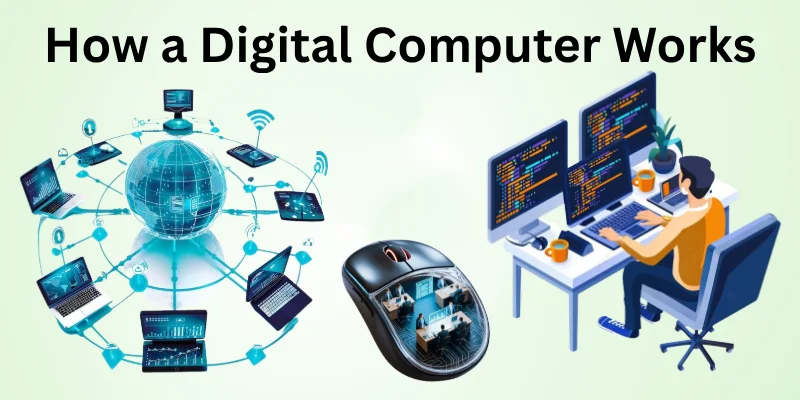
How a Digital Computer Works
A digital computer processes information in a way that allows it to perform complex tasks quickly and accurately. It takes input, processes it using its components, and produces the desired output efficiently.
Every action inside the computer follows logical steps, ensuring precise results. Understanding its operation helps you see how everyday devices accomplish so much in so little time.
- Input Reception: The computer first collects data from devices like keyboards, mice, or sensors. This data is then prepared for processing in a structured format that the system can understand.
- Data Processing: Inside the CPU, the computer interprets instructions and performs calculations, making decisions based on the logic programmed into it.
- Memory Storage: Temporary and permanent storage systems hold data and instructions, allowing the computer to access and retrieve information quickly whenever needed.
- Control Coordination: The control unit manages the flow of data between different components, ensuring each task happens in the correct sequence without errors.
- Output Generation: Once processing is complete, the computer delivers results through monitors, printers, or speakers, transforming digital information into usable forms.
- Error Checking: Built-in systems constantly monitor operations to detect inconsistencies or mistakes, helping maintain reliable and accurate performance over time.
History of the Digital Computers
The story of digital computers spans decades of innovation and problem-solving. From simple calculating machines to powerful modern systems, each step in development marked a leap in technology.
Understanding this history shows how human ingenuity transformed the way we process information. Every advancement is built on previous discoveries, shaping the computers we rely on today.
Here’s a timeline of the major milestones in digital computing.
- Early Mechanical Devices: In the 19th century, inventors developed machines like Charles Babbage’s Difference Engine, which could perform basic calculations automatically, laying the foundation for future computation.
- Electromechanical Era: By the 1930s and 1940s, devices such as the Zuse Z3 and IBM tabulating machines combined mechanical parts with electrical circuits, speeding up calculations and data handling.
- First Electronic Computers: During the 1940s, systems like ENIAC and Colossus used vacuum tubes to process data at unprecedented speeds, solving complex mathematical and military problems.
- Transistor Revolution: The 1950s brought transistors, replacing bulky vacuum tubes and making computers smaller, faster, more reliable, and easier to maintain.
- Integrated Circuits: In the 1960s and 1970s, integrated circuits combined many components on a single chip, greatly increasing processing power while reducing size and cost.
- Personal Computing Boom: By the late 1970s and 1980s, computers became accessible to homes and small businesses, introducing a new era of user-friendly software and interactive technology.
- Modern Digital Systems: Today, computers use advanced microprocessors and networking, enabling high-speed data processing, global communication, and seamless integration into daily life.
Evolution of the Digital Computers
Digital computers have undergone remarkable changes since their inception, transforming from simple calculating devices to powerful machines that shape modern life. Each stage of evolution introduced new technologies, improving speed, accuracy, and accessibility.
By exploring this progression, we can appreciate how innovation continuously redefines computing. Every advancement reflects the drive to make computers faster, smaller, and more efficient.
Key stages in the evolution of digital computers include.
- Mechanical Beginnings: Early computing relied on gears, levers, and mechanical parts to perform arithmetic operations, demonstrating the first steps toward automated calculation.
- Electromechanical Systems: Combining electrical circuits with mechanical components in the 1930s and 1940s allowed computers to process data faster and handle more complex tasks.
- Electronic Pioneers: Vacuum tube computers in the 1940s, like ENIAC, enabled rapid calculations, marking the transition to fully electronic processing.
- Transistor Innovation: The introduction of transistors in the 1950s reduced size and energy use while increasing reliability, replacing bulky and heat-prone vacuum tubes.
- Integrated Circuits: By the 1960s and 1970s, multiple components were combined on single chips, boosting processing power and laying the groundwork for modern microprocessors.
- Microprocessor Era: The 1970s and 1980s saw the rise of microprocessors, making computers affordable for businesses and individuals and driving the personal computing revolution.
- Modern Computing: Today, digital computers are compact, fast, and networked, supporting complex applications, artificial intelligence, and global connectivity.
Core Components of Digital Computers
Digital computers rely on several essential components that work together to perform tasks efficiently. Each part has a unique role, from storing information to executing instructions and communicating with users.
Understanding these components helps in appreciating how computers process data so quickly and accurately. Every component contributes to the smooth functioning of the system, making modern computing possible.
- Central Processing Unit: The CPU acts as the brain of the computer, executing instructions, performing calculations, and coordinating tasks among other components for seamless operation.
- Memory Units: Memory stores data temporarily or permanently, allowing the CPU to access instructions and information quickly without delays during processing.
- Input Devices: Devices like keyboards, mice, and scanners allow users to enter data and commands, making interaction with the computer efficient and intuitive.
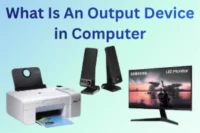
- Output Devices: Monitors, printers, and speakers transform processed data into visible, audible, or tangible results, enabling users to interpret the computer’s work.
- Storage Devices: Hard drives, SSDs, and external storage maintain large volumes of data, ensuring important information is preserved and accessible when needed.
- Motherboard and Bus Systems: The motherboard connects all components, while bus systems transfer data between them efficiently, ensuring coordination and communication across the system.
- Power Supply: Provides stable electrical energy to every part of the computer, ensuring reliable operation and preventing interruptions or damage during usage.
Functions of Digital Computers
Digital computers perform a wide range of tasks that make them essential in modern life. They process data quickly, solve complex problems, and support decision-making across various fields.
Each function contributes to efficiency, accuracy, and productivity in personal, educational, and professional settings. Understanding these functions helps you see why computers are indispensable in today’s world.
- Data Processing: Computers receive raw data, organize it, and perform calculations or logical operations to produce meaningful and accurate results efficiently.
- Storage Management: They save information temporarily in RAM for quick access and permanently in storage devices, allowing data retrieval whenever necessary.
- Input Handling: Computers accept instructions and data from devices such as keyboards, scanners, and sensors, enabling users to communicate effectively with the system.
- Output Generation: After processing, computers deliver results through monitors, printers, or speakers, converting digital information into readable or usable forms.
- Control Operations: The control unit directs and synchronizes the activities of all components, ensuring tasks are executed correctly and in proper sequence.
- Problem Solving: Digital computers analyze data, perform complex calculations, and apply algorithms to find solutions to scientific, business, or daily-life challenges.
- Communication Facilitation: Modern computers connect to networks, transmit data, and enable real-time interaction, supporting collaboration and information sharing globally.
Types of Digital Computers
Digital computers come in various forms, each designed to meet different needs and tasks. Their size, speed, and functionality vary depending on the purpose they serve. By understanding the different types, you can see how computing adapts to personal, business, and scientific requirements. Every type has unique advantages that make it suitable for specific applications.
Common types of digital computers include
- Supercomputers: Extremely powerful machines designed for complex computations, simulations, and scientific research, capable of processing enormous amounts of data at very high speeds.
- Mainframe Computers: Large, high-performance systems that handle vast quantities of data, often used by businesses and government institutions for critical operations.
- Minicomputers: Mid-sized computers that offer a balance between performance and cost, suitable for small to medium-sized organizations with moderate computing needs.
- Microcomputers: Also known as personal computers, these are widely used for everyday tasks such as word processing, internet browsing, and multimedia applications.
- Workstations: High-performance computers used for specialized applications like engineering, design, and data analysis, providing enhanced graphics and processing capabilities.
- Embedded Computers: Compact systems built into devices such as cars, appliances, or medical equipment, performing dedicated tasks reliably within larger systems.
- Portable Computers: Laptops and notebooks designed for mobility, allowing users to perform computing tasks anywhere without being tied to a fixed location.
Characteristics of Digital Computer
The characteristics of digital computers make them efficient, reliable, and versatile for a variety of tasks. These traits determine how quickly it processes information, handles data, and interacts with users.
Understanding these features helps explain why digital computers outperform many other types of machines. Each characteristic plays a crucial role in making computing precise, fast, and adaptable to different needs.
- Speed and Efficiency: Processes data and instructions quickly, completing complex tasks in seconds.
- Accuracy and Precision: Performs calculations with minimal errors, ensuring reliable results.
- Automation Capability: Executes tasks automatically once programmed, increasing productivity.
- Versatility and Flexibility: Adapts to different applications, from calculations to simulations.
- Storage and Retrieval: Stores large amounts of data and retrieves it efficiently.
- Connectivity and Communication: Connects to networks for data sharing and collaboration.
- Reliability and Stability: Operates consistently under varying conditions without performance drops
Applications of Digital Computers
Digital computers are used in almost every field of modern life, making work faster, easier, and more accurate. They help organizations, individuals, and governments process information efficiently and make informed decisions.
From education to healthcare, digital computers support innovation and problem-solving. Exploring their applications shows how integral these machines are to our daily routines and professional tasks.
- Education and Learning: Digital computers assist students and teachers by providing interactive learning tools, online resources, and simulations that enhance understanding and engagement.
- Healthcare and Medicine: They are used to store patient records, perform diagnostic analysis, run medical imaging, and support research for better treatment methods.
- Business and Finance: Computers manage transactions, maintain accounts, analyze data trends, and optimize operations, improving efficiency and decision-making.
- Science and Research: Digital computers simulate experiments, analyze large datasets, and perform complex calculations, accelerating discoveries across physics, chemistry, and biology.
- Communication and Networking: Computers enable emails, video calls, social media, and instant messaging, connecting people globally in real time.
- Engineering and Design: They support CAD, simulations, and modeling, helping engineers create precise designs and test prototypes before physical production.
- Entertainment and Media: Digital computers power video games, streaming platforms, animation, and content creation, offering engaging experiences for users worldwide.
Conclusion
In this guide, we have covered what is a digital computer. We explored its history, core components, functions, types, characteristics, and applications in everyday life. Understanding these aspects helps you see how digital computers make work faster, learning easier, and communication smoother.
I personally recommend balancing your knowledge between theory and practical use so that you gain skills without feeling overwhelmed or rushed. Taking time to practice what you learn will make your understanding stronger and more useful in real situations.
Thank you for reading carefully, and I hope this guide has helped you gain a clear picture of digital computers. Don’t skip the next part of the FAQs. I hope you will find something more interesting, so don’t miss it. If you miss it, you may lose something new.
FAQS: What is a Digital Computer
Now that you have a clear understanding of digital computers, let’s explore some frequently asked questions to answer common queries and provide even more practical insights.
A digital computer is an electronic device that processes data in the form of binary digits (0s and 1s). It can perform calculations, store information, and execute instructions very quickly. These computers are widely used in homes, offices, schools, and industries to simplify tasks. Understanding what a digital computer is is the first step in learning modern computing.
Digital computers use the binary system to represent data, where each bit is either 0 or 1. This makes it easy for computers to perform calculations, store information, and process instructions accurately. All modern programs, files, and applications are ultimately translated into binary for the computer to understand.
Digital computers are important because they make work faster, more accurate, and more efficient. They support communication, education, business, healthcare, and entertainment. Without digital computers, modern life would be slower, and many tasks would be impractical to perform manually.
A digital computer consists of a CPU, memory, input/output devices, and storage. The CPU processes instructions, memory stores temporary data, and storage devices save long-term information. Input devices like keyboards and mice let users interact, while output devices like monitors display results.
Digital computers are fast, accurate, versatile, and reliable. They can handle large volumes of data, perform complex calculations, and support multiple applications at once. Additionally, their ability to connect to networks makes them ideal for modern communication and collaboration.
Yes, digital computers help store patient records, assist in diagnosis, manage medical equipment, and support research. They improve accuracy, speed up processes, and enable advanced medical solutions that save lives.
Industries like finance, healthcare, education, engineering, and entertainment heavily rely on digital computers. They handle large datasets, automate operations, and improve decision-making. Digital computers are essential for modern business and research processes.
Yes, digital computers need a power source to function. The hardware components, like CPU, memory, and storage, rely on electricity to process data. Without electricity, the computer cannot operate.
Digital computers can be very secure when proper measures are used, such as passwords, firewalls, antivirus programs, and encryption. Security depends on both hardware and software protection. Users must also follow safe practices to prevent unauthorized access.


- Be Respectful
- Stay Relevant
- Stay Positive
- True Feedback
- Encourage Discussion
- Avoid Spamming
- No Fake News
- Don't Copy-Paste
- No Personal Attacks
- Be Respectful
- Stay Relevant
- Stay Positive
- True Feedback
- Encourage Discussion
- Avoid Spamming
- No Fake News
- Don't Copy-Paste
- No Personal Attacks
