Importance of Computer Hardware
Published: 11 Mar 2026
Every day, computers handle trillions of tasks worldwide, from streaming videos to running businesses. I’ve seen countless users struggle with slow systems, and the root cause is almost always the same: weak or outdated hardware.
Understanding the importance of computer hardware is the first step to fixing problems, boosting speed, and making technology truly work for you. Without strong hardware, even the best software cannot perform at its best.
In this article, we have covered why hardware matters, how it affects your daily work, and what you can do to choose the right components for smooth and reliable performance.
Now, let’s move forward and take a closer look at the importance of computer hardware, breaking down every part to see how it impacts your daily computing.
Importance of Computer Hardware Step By Step
Some computers run smoothly, while others struggle to keep up. Hardware drives every action inside your system, and each part matters. Understanding how these components work can help you get the most speed, stability, and efficiency from your computer.
Here is the list of the importance of computer hardware
- Fast and smooth performance
- Efficient multitasking
- Runs software properly
- Protects your data
- Stable and reliable system
- Longer computer lifespan
- Fewer crashes and errors
- Better gaming and graphics
- Boosts productivity
Let’s take a closer look at each point and see how it affects your computer.
1. Fast and Smooth Performance
A slow computer can ruin your workflow and make simple tasks frustrating. Strong hardware powers your system to handle everything effortlessly. Programs launch instantly, and files open without delay.
You can enjoy media, games, or work without interruptions. Every component plays a role in keeping your system responsive. Investing in good hardware ensures a seamless experience every time.
- The processor executes tasks at high speed
- SSD improves reading and writing speed
- RAM enhances temporary data handling
- The graphics card sharpens visual clarity
2. Efficient Multitasking
Running multiple programs at once can challenge weak systems. Proper hardware lets your computer handle several apps without slowing down. You can switch between browsing, editing, and media tasks smoothly. Each component coordinates to manage resources efficiently. Multitasking becomes effortless and keeps your workflow consistent. Upgrading parts prevents slowdowns during heavy workloads.
- RAM stores temporary files for quick access.
- CPU prioritizes demanding tasks efficiently
- Storage drives handle large files faster
- GPU processes visuals without slowing apps
3. Runs Software Properly
Even the best programs fail on weak systems. Poor hardware can cause crashes, errors, and freezes, wasting time. Strong components make software open and respond exactly as intended. Your applications work smoothly, allowing you to focus on tasks without interruptions. Reliable hardware ensures every feature of modern software performs correctly. Upgrading essential parts prevents frustration and supports consistent productivity.
- Optimizes memory for heavy programs
- Reduces background processing delays
- Accelerates complex calculations efficiently
- Maintains smooth graphics performance
4. Protects Your Data
Losing important files can ruin work and cause unnecessary stress. Strong hardware keeps your data safe and prevents corruption. Components like reliable storage and memory ensure your information stays intact.
Even during power failures or system crashes, proper hardware safeguards your work. Upgrading essential parts reduces the risk of permanent loss. Protecting your data allows you to work confidently every day.
- SSDs prevent file corruption effectively.
- Backup drives store information securely
- RAM minimizes accidental data loss
- Hardware encryption protects sensitive files
5. Stable and Reliable System
A system that constantly crashes or freezes wastes time and causes frustration. Strong hardware ensures your computer operates without interruptions. Reliable components maintain consistent performance even under heavy use.
Stability allows you to work on important tasks without unexpected delays. Upgrading key parts reduces system errors and prevents sudden shutdowns. A stable computer creates confidence and a smoother experience every day.
- The power supply maintains a steady electricity flow
- Cooling systems prevent overheating issues
- Motherboard quality ensures long-term durability
- Firmware updates improve system consistency
6. Longer Computer Lifespan
Old or low-quality hardware wears out quickly, causing frequent repairs and replacements. Strong, reliable components can last for years and maintain performance over time. Regular maintenance combined with quality parts keeps your system running smoothly.
Upgrading essential components prevents early breakdowns and reduces unexpected downtime. A long-lasting computer saves money, effort, and frustration. Investing in durable hardware ensures your system remains effective for everyday tasks.
- Durable casing protects internal components
- Efficient cooling prevents overheating damage
- The power supply stabilizes the electricity flow
- Motherboard quality extends hardware life
- Firmware updates optimize system longevity
7. Fewer Crashes and Errors
Frequent crashes interrupt work and waste valuable time. A well-built system runs programs without freezing or stopping suddenly. Quality components handle heavy tasks without slowing down.
Proper configuration reduces conflicts between software and hardware. Updated drivers help applications respond smoothly. A dependable setup keeps your workflow steady and stress-free.
- Error logs track hidden issues
- Memory upgrades improve task handling
- Clean installations remove corrupted files
- Surge protectors guard against spikes
- Background processes stay controlled
8. Better Gaming and Graphics
Modern games demand strong hardware to deliver smooth visuals and fast action. A powerful system renders detailed environments without lag. High-quality components support sharp textures and realistic lighting effects.
Faster processing ensures quick responses during intense gameplay. Proper hardware also enhances overall visual clarity on high-resolution displays. With the right setup, you enjoy immersive entertainment without interruptions.
- High refresh rates enhance motion
- A dedicated GPU boosts rendering speed
- VRAM supports complex textures
- Ray tracing improves light effects
- SSD reduces game loading time
9. Boosts Productivity
A dependable computer helps you complete assignments more efficiently. Quick system response allows you to move through tasks without waiting. Strong internal components support professional tools and creative applications.
Stable performance keeps your workflow steady throughout the day. A well-maintained machine reduces distractions and keeps projects on track. When everything runs properly, you make better use of your time and energy.
- Dual monitors expand the workspace view.
- Cloud sync enables remote access.
- Task automation reduces manual effort.
- Noise-free cooling improves concentration.
- Scheduled maintenance prevents slowdowns
Why Computer Hardware Matters in Daily Life
Everyday technology depends on physical components working together properly. The parts inside a computer shape how comfortably you complete personal and professional tasks. Good hardware supports smooth interaction with digital tools at home, school, or the office. Making smart hardware choices helps you avoid unnecessary technical trouble.
- Processor performance determines: How quickly complex instructions run for heavy programs and large data sets.
- Storage capacity allows: Storing large media collections, software, and critical documents securely and efficiently.
- Memory modules handle: Running multiple programs at the same time without slowing system responsiveness.
- Graphics units support: Creating animations, editing videos, and rendering high-resolution visuals smoothly.
- Cooling mechanisms protect: Internal circuits from overheating, preventing long-term component damage and failures.
- Power regulation systems maintain: A steady electricity flow to sensitive parts, avoiding sudden voltage spikes.
Key Components That Make Hardware Important
The hardware inside a computer determines how efficiently it runs tasks. Each component has a specific role that affects speed, stability, and overall performance. Understanding these parts helps you make better choices when building or upgrading a system. Properly selected hardware ensures your computer works reliably for all daily and professional needs.
Here’s a closer look at the main components and their roles.
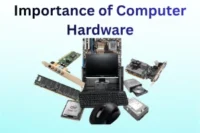
- Central processing unit: Handles all instructions and calculations, managing complex operations quickly.
- Random access memory: Stores active data temporarily to allow fast program execution and multitasking.
- Storage drives: Keep files, applications, and media safe while enabling rapid access when needed.
- Graphics processing unit: Renders images, videos, and 3D content efficiently for design and gaming.
- Motherboard connections: Link all parts together and ensure smooth communication between components.
- Power supply unit: Provides consistent energy to all hardware, protecting devices from electrical issues.
Future Importance of Computer Hardware
As technology evolves, computer hardware will play an even more critical role in our lives. Advanced applications, artificial intelligence, and virtual environments will demand faster and more reliable components. Future hardware innovations will improve efficiency, speed, and overall user experience. Preparing for these changes ensures your systems remain capable and relevant in the years ahead.
Here’s how upcoming hardware advancements will shape the future
- Next-gen processors: Deliver unprecedented calculation speeds to handle AI, machine learning, and complex simulations efficiently.
- Expanded memory systems: Allow massive data sets to be processed quickly without bottlenecks during high-demand tasks.
- Ultra-fast storage devices: Enable near-instant access to files, programs, and cloud-based applications for improved workflow.
- Enhanced graphics units: Render highly detailed visuals and support immersive experiences in gaming, design, and virtual reality.
- Advanced cooling technology: Keeps next-generation components at safe temperatures during continuous heavy use.
- Smart power solutions: Regulate energy efficiently, reducing consumption while protecting sensitive electronics from damage.
- Modular motherboards: Offer flexible configurations to easily upgrade and integrate new hardware components over time.
Conclusion
In this guide, we have covered the importance of computer hardware. Always aim to balance speed, stability, and budget, so your PC runs efficiently without unnecessary expenses or future issues. Choosing the right hardware today not only improves performance but also ensures longevity, reduces downtime, and saves you from costly upgrades later. Take time to evaluate what matters most for your specific needs, whether it’s gaming, work, or general use.
I sincerely appreciate your time reading this article and hope it has provided valuable insights to help you make informed decisions about your system. Don’t skip the next part of the FAQs. I hope you will find something more interesting, so don’t miss it. If you miss it, you may lose something new.
FAQS: Importance of Computer Hardware
Here are the key questions about the importance of computer hardware that everyone asks. Find clear answers and useful tips below.
Computer hardware is important because it forms the backbone of your computer. Without quality hardware, software cannot run efficiently. Proper hardware ensures better performance, faster processing, and a reliable system. Understanding its importance helps you choose the right components for your needs.
The type and quality of hardware directly influence your computer’s speed. Faster CPUs, more RAM, and SSD storage make programs run smoothly. Poor or outdated hardware can cause lag, freezes, and slow load times. Knowing the importance of computer hardware helps you optimize performance.
Gaming requires high-performance hardware, such as powerful GPUs and fast RAM. Good hardware ensures smooth gameplay, higher frame rates, and realistic graphics. Understanding the importance of computer hardware helps gamers avoid lag and crashes.
Hardware failure can cause system crashes, data loss, and slow performance. Regular maintenance and quality components can prevent most issues. Recognizing the importance of computer hardware helps protect your system from failures.
Networking hardware like modems, routers, and network cards affects your internet performance. Faster, modern hardware ensures smoother streaming and downloads. Knowing the importance of computer hardware helps maintain consistent connectivity.
Video editing requires strong CPUs, large RAM, and powerful GPUs. Proper hardware reduces rendering time and prevents lag. Choosing the right components also allows editors to handle larger projects smoothly. Understanding the importance of computer hardware helps editors work efficiently.
The GPU and monitor quality directly impact graphics performance. High-end hardware supports higher resolutions, smoother frame rates, and better visuals. Investing in quality components ensures a more immersive and enjoyable gaming experience. This shows why the importance of computer hardware cannot be ignored in gaming.
Storage devices like SSDs and HDDs affect load times and data access. Faster storage improves overall system efficiency and user experience. Choosing the right type of storage for your needs can make a big difference in daily computing. Understanding this reinforces the importance of computer hardware in your setup.
Focus on components that match your needs: CPU, RAM, storage, and GPU. Balancing performance, cost, and reliability ensures optimal results. Take time to research and compare options before making a purchase. Knowing the importance of computer hardware guides smarter buying decisions.



- Be Respectful
- Stay Relevant
- Stay Positive
- True Feedback
- Encourage Discussion
- Avoid Spamming
- No Fake News
- Don't Copy-Paste
- No Personal Attacks
- Be Respectful
- Stay Relevant
- Stay Positive
- True Feedback
- Encourage Discussion
- Avoid Spamming
- No Fake News
- Don't Copy-Paste
- No Personal Attacks
