Advantages and Disadvantages of Computers Complete Guide
Published: 9 Feb 2026
People often feel confused when they talk about the advantages and disadvantages of computers because computers help and harm us at the same time. They speed up work, improve learning, and connect us with the world, yet they also cause stress, eye strain, and loss of focus.
I noticed this while working with students and office users who depend on computers every day but still feel frustrated. From real experience, I learned that computers work best only when users understand both sides. This balance helps people stay productive without letting technology control their routine.
Let’s get started and understand the advantages and disadvantages of computers clearly.
Advantages of Computer
Computers have changed the way we work, learn, and communicate in daily life. From small tasks to complex projects, they help us save time and improve results. Let’s look at why computers play such an important role today.
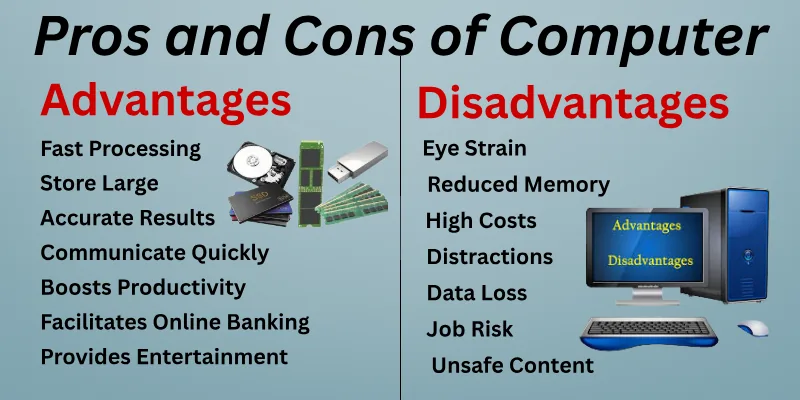
Here is the list of main pros of computers.
- Fast Processing for Quick Tasks
- Store Large Amounts of Data Easily
- Accurate Results Every Time
- Access Information Instantly
- Communicate Quickly Anywhere
- Enhances Online Learning
- Boosts Productivity at Work
- Supports Efficient Research
- Encourages Creativity and Design
- Reduces Repetitive Effort
- Simplifies Data Management
- Provides Entertainment and Media Access
- Facilitates Online Banking and Shopping
Let’s explore each of these advantages in detail.
1. Fast Processing for Quick Tasks
Computers finish work much faster than humans. They can handle calculations, documents, and other tasks in seconds. I often use them to speed up research and writing. Fast processing saves me hours of manual work. It allows me to focus on creative and important decisions. Every task feels easier when computers do the heavy lifting.
- Completes tasks in a few seconds
- Handles multiple tasks at once
- Speeds up project and document work
- Provides instant answers and results
Example:
I once needed to summarize a 15-page report. The computer finished it in seconds, while it would have taken me hours manually.
2. Store Large Amounts of Data Easily
Computers can keep thousands of files safely in one place. I like storing notes, research, and documents digitally. It helps me find anything instantly whenever I need it. Computers also back up important work automatically. Digital storage prevents clutter and keeps everything organized. This makes my learning and work life much simpler.
- Stores thousands of files safely
- Organizes research clearly and efficiently
- Allows instant access anytime needed
- Preserves work for future use
Example:
I collected dozens of study notes over several months. The computer helped me organize them into folders so I could access any topic in seconds.
3. Accurate Results Every Time
Computers give precise results when the input is correct. I rely on them for calculations, grammar checks, and report creation. Accuracy helps me feel confident in my work. I do not need to double-check numbers constantly. Computers ensure consistent results every time. This reliability saves time and reduces mistakes.
- Produces exact calculations every time
- Checks grammar and spelling quickly
- Summarizes content accurately for review
- Ensures consistent and reliable output
Example:
I asked the computer to calculate my monthly expenses. It gave the exact total instantly, while I would have made small mistakes adding manually.
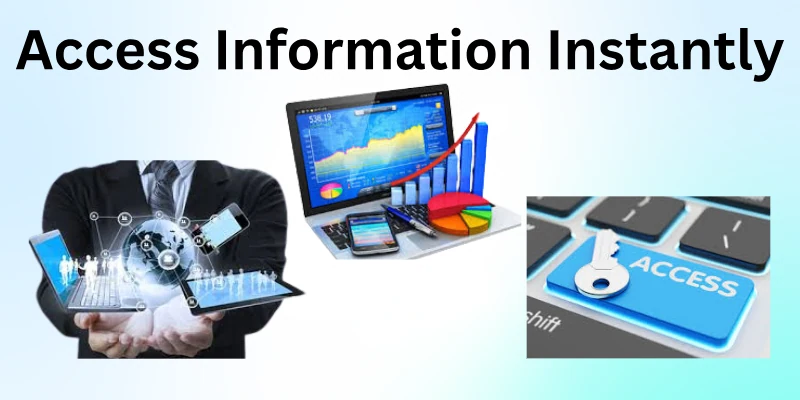
4. Access Information Instantly
Computers let me find information in seconds. I often use them to look up facts, news, or tutorials online. This saves me hours of searching through books or notes. Instant access makes learning and working much faster. I can compare ideas, read articles, and make decisions quickly. Computers make knowledge available whenever I need it.
- Searches for information in a few seconds
- Finds online articles and resources
- Retrieves documents instantly for work
- Accesses databases anytime from anywhere
Example:
I needed statistics for a project. Using a computer, I found multiple reliable sources in just five minutes instead of hours.
5. Communicate Quickly Anywhere
Computers help me stay in touch with family, friends, and colleagues easily. I send emails, join video calls, and share documents instantly. This makes collaboration smooth, even if people are far apart. I can respond quickly and stay updated without delay. Fast communication reduces misunderstandings and keeps work moving. Computers make connecting with others simple and efficient.
- Sends emails in a few seconds
- Join video calls from anywhere
- Shares files instantly online
- Connects with people worldwide easily
Example:
I worked on a group project with friends in different cities. Using a computer, we shared files and discussed ideas in real time.
6. Enhances Online Learning
Computers make studying easier and more interactive. I can watch video tutorials, attend live classes, and take quizzes online. This helps me learn new skills at my own pace. Computers provide access to global knowledge without leaving home. I can save lessons and practice anytime I want. Learning becomes more flexible and enjoyable with computers.
- Tracks progress with digital tools.
- Offers interactive exercises and games
- Provides personalized learning suggestions
- Connects with teachers instantly for help
Example:
I learned a new programming language using online tutorials. The computer helped me track which lessons I completed and suggested exercises I hadn’t tried yet.
7. Boosts Productivity at Work
Computers help me complete tasks faster and more efficiently. I can write reports, manage schedules, and create presentations quickly. Automation tools reduce repetitive work and save my energy. Computers let me focus on important tasks instead of minor details. This improves overall productivity and work quality. I feel more organized and effective using computers.
- Monitors project timelines automatically
- Helps prioritize urgent assignments
- Reduces errors in repetitive tasks
- Supports team collaboration seamlessly
Example:
I organized weekly reports using a computer. Tasks that usually took hours were completed in one afternoon.
8. Supports Efficient Research
Computers make research faster and more organized. I use them to gather articles, reports, and case studies online. They allow me to compare information from multiple sources quickly. I can sort data, highlight key points, and save references for later. Computers help me focus on analysis instead of manual searching. This makes research less stressful and more accurate.
- Accesses scholarly articles instantly
- Sorts data for quick review
- Highlights important points automatically
- Stores references for future use
Example:
I needed to analyze trends for a project. The computer helped me collect multiple studies and organize the key data in minutes.
9. Encourages Creativity and Design
Computers provide tools to express ideas visually and creatively. I use them to design presentations, graphics, and videos. They help me experiment with colors, layouts, and styles easily. I can try new ideas without wasting materials. Computers make it fun to bring imagination to life. Creativity becomes faster and more polished with these tools.
- Design graphics with simple software
- Edits videos efficiently and quickly
- Creates digital artwork effortlessly
- Experiments with layouts and colors
Example:
I created a poster for a school project using computer design tools. I could test different colors and fonts instantly until it looked perfect.
10. Reduces Repetitive Effort
Computers automate repetitive tasks so I can save time and energy. I use them to format documents, fill forms, or calculate large data sets. Automation removes the need to do the same work over and over. I can focus on more meaningful and challenging tasks. Computers make routine work much easier and faster. This reduces fatigue and improves overall efficiency.
- Automates data entry tasks easily
- Formats documents in seconds
- Calculates large datasets quickly
- Schedules recurring tasks automatically
Example:
I had to calculate monthly expenses for multiple projects. The computer did it in minutes using formulas, instead of me adding each number manually.
11. Simplifies Data Management
Computers help me organize all my information in one place. I can create folders, track files, and sort records easily. This makes it simple to locate anything quickly when I need it. I can back up important documents without worrying about losing them. Computers also allow me to update data efficiently. Managing information has never felt this easy and stress-free.
- Sorts files automatically by categories
- Tracks updates in real-time quickly
- Stores data in secure formats
- Organizes documents for easy access
Example:
I used a computer to manage a long list of contacts and project files. I could find any file instantly, and everything stayed perfectly organized.
12. Provides Entertainment and Media Access
Computers offer a wide variety of entertainment options. I watch movies, play games, and listen to music easily. I can stream videos or join virtual events without leaving home. Computers also allow me to explore hobbies like photography or digital art. They make downtime enjoyable and relaxing. Entertainment becomes more interactive and engaging with computers.
- Streams movies and shows instantly
- Plays online and offline games
- Creates music and audio content
- Explores hobbies with digital tools
Example:
I wanted to try digital painting. Using a computer, I could experiment with colors, brushes, and designs without wasting any materials.
13. Facilitates Online Banking and Shopping
Computers make financial and shopping tasks faster and safer. I can transfer money, pay bills, or shop for groceries online. This saves time compared to going to physical stores or banks. I can track transactions and manage budgets easily. Computers also provide alerts for important updates. Daily life feels more convenient and secure with online tools.
- Pays bills quickly from home
- Tracks spending and account balances
- Compares products before purchasing online
- Receives notifications for important transactions
Example:
I needed to buy a gift quickly. Using online shopping, I compared options, paid securely, and arranged delivery in just a few minutes.
Disadvantages of Computers
Computers make life easier in so many ways, but they also come with challenges. Sometimes, relying too much on them can create problems we might not expect. Understanding these disadvantages helps us use computers more wisely and safely.
Here is the list of key cons of computers.
- Eye Strain
- Poor Posture
- Reduced Memory
- Viruses & Malware
- High Costs
- Social Isolation
- Distractions
- Data Loss
- Job Risk
- Updates Needed
- Unsafe Content
- Low Physical Activity
- Power & Internet Dependency
Let’s take a closer look at each of these drawbacks and see how they can affect daily life.
1. Eye Strain
Spending long hours in front of a computer can make your eyes feel tired and dry. I often notice discomfort after working for hours without taking breaks. Staring at bright screens for too long can cause headaches and blurred vision.
Poor lighting or small text increases eye fatigue even more. Eye strain can make focusing on tasks harder and slower. Adjusting screen brightness and taking regular breaks helps a lot. Simple habits can protect your eyes while using computers.
- Causes headaches after extended use
- Makes eyes feel itchy or dry
- Blurs vision when looking long-term
- Increases difficulty focusing on tasks
Example:
I worked on a report for three hours straight. By the end, my eyes were red, and I could barely focus on the screen.
2. Poor Posture
Sitting incorrectly at a computer can hurt your back, neck, and shoulders. I often slouch when I am focused on work, which causes stiffness later. Hunching over the desk can lead to long-term pain if not corrected.
Using an adjustable chair and keeping the monitor at eye level helps a lot. Stretching every hour can reduce discomfort significantly. Poor posture can also make you feel tired faster during the day. Proper posture keeps your body comfortable while working on the computer.
- Causes neck and shoulder stiffness
- Leads to lower back pain
- Makes sitting for hours uncomfortable
- Reduces energy and focus
Example:
I spent a whole day coding without adjusting my chair. By evening, my back and shoulders ached badly.
3. Reduced Memory
Relying on computers for everything can affect your memory. I noticed I sometimes forget simple details because I store them digitally. Overdependence on computers reduces the need to remember information manually.
People may forget phone numbers, schedules, or small tasks easily. Taking notes by hand or practicing mental recall can help improve memory. Computers make life convenient, but our brains still need exercise. Using memory actively helps keep it sharp despite technology.
- Reduces the ability to memorize information
- Makes remembering tasks harder
- Weakens short-term memory naturally
- Decreases mental calculation skills
Example:
I stopped remembering my friends’ phone numbers because I relied on my computer to store contacts. Soon, I noticed I forgot simple numbers quickly.
4. Viruses & Malware
Computers can get infected with viruses or malware, which can damage files. I once downloaded a file from an unknown website, and my system slowed down immediately. Malware can steal personal information or corrupt important work.
Installing antivirus software and updating it regularly helps prevent these risks. Downloading unsafe files or links increases the chance of infections. Viruses can waste time and create frustration when fixing issues. Regular protection and careful use keep your computer safe.
- Deletes important files unexpectedly.
- Slows down system performance quickly
- Steals passwords or private data
- Causes frequent program crashes
Example:
A malware infection once corrupted my project files. I had to spend hours restoring them from backups.
5. High Costs
Computers can be expensive to buy and maintain. I sometimes feel the pressure when upgrading hardware or software. Accessories like printers, routers, or headphones add to the cost. Regular updates and antivirus subscriptions increase expenses, too.
Repairs and technical support can also cost extra. These costs make owning a computer a significant investment. Being careful with purchases helps manage the expense.
- Initial purchase can be expensive.
- Software licenses add extra cost.
- Hardware upgrades require frequent spending.
- Repairs and technical support cost
Example:
I wanted to upgrade my laptop for better performance. The price of a new model and accessories was higher than I expected.
6. Social Isolation
Spending too much time on computers can reduce face-to-face interaction. I sometimes notice I feel alone after long hours online. Social media or gaming can replace real conversations. This can affect relationships with friends and family.
Computers make it easy to stay connected digitally but distant physically. Taking breaks and meeting people in real life helps balance this. Too much isolation can affect mood and happiness.
- Reduces time spent with friends
- Limits family interaction at home
- Encourages solitary digital activities
- May affect social skills
Example:
I spent a weekend playing online games and chatting with friends virtually. By Sunday evening, I realized I had not talked to my family at all.
7. Distractions
Computers can be full of distractions that reduce focus. I often get sidetracked by notifications, emails, or social media. It is easy to spend hours without realizing it. Distractions slow down work and make tasks take longer.
Multitasking on a computer can reduce quality and attention. Using focus tools or limiting apps can help control distractions. Staying disciplined improves productivity and reduces wasted time.
- Notifications interrupt work frequently.
- Social media steals attention easily.
- Multiple tabs reduce focus naturally.
- Multitasking lowers work quality.
Example:
I started writing a report, but kept switching between social media and emails. It took much longer than expected to finish.
8. Data Loss
Computers can lose important files if not properly backed up. I have experienced losing documents after a sudden system crash. Viruses, hardware failure, or accidental deletion can cause data loss. Backing up files regularly significantly reduces the risk.
Cloud storage and external drives provide extra protection. Losing data can be stressful and time-consuming. Being proactive prevents permanent loss of valuable work.
- Files can get deleted accidentally.
- System crashes may erase work.
- Hardware failure can destroy data.
- Viruses may corrupt important files.
Example:
Once, my computer crashed while saving a school project. Luckily, I had a backup on an external drive and avoided losing everything.
9. Job Risk
Computers and automation can replace some human jobs over time. I noticed that tasks once done manually are now handled by machines. This change can create uncertainty for employees in certain fields. Computers increase efficiency but reduce the demand for some skills. Upskilling and learning new computer-related skills can help people stay employed. Adapting to technology is essential in today’s job market. Job risk makes planning for the future more important.
- Some roles may disappear quickly.
- Companies rely more on software.
- Workers face sudden career shifts.
- Training is needed to adapt.
Example:
A friend’s data-entry job was automated last year. They learned new software skills and got a different role successfully.
10. Updates Needed
Computers require regular software and system updates to run smoothly. I sometimes forget to install updates, and my computer slows down. Updates fix bugs, improve security, and add new features.
Ignoring updates can make computers vulnerable to problems or attacks. Installing updates can take time and interrupt work. Being consistent with updates keeps the system safe and fast. Updates are necessary, but they can be inconvenient sometimes.
- Delays can affect work deadlines.
- Some apps stop working properly.
- Old systems may become vulnerable.
- Restarting after updates is required
Example:
I postponed updating my laptop for a week. When I finally ran an important program, it didn’t work until I updated the system.
11. Unsafe Content
Computers can give access to inappropriate or harmful content online. I have noticed students sometimes find unsuitable material while browsing. This content can affect thinking and decision-making. People may click on misleading links that waste time or cause problems.
Searching responsibly and using trusted websites helps reduce risk. Even adults can encounter scams or false information online. Unsafe content can influence habits and learning if not managed carefully.
- Can trick users with fake news
- May contain phishing or scams
- Encourages careless clicking behavior
- Can lead to wasted time online
Example:
While researching a project, I clicked a flashy link that promised quick answers. It redirected me to a scam site, wasting 15 minutes before I closed it.
12. Low Physical Activity
Spending long hours on a computer can make people move very little. I sometimes sit for several hours straight while working or playing games. Staying seated for too long can cause stiffness and lower energy. It may also increase the risk of weight gain over time.
Taking short breaks, stretching, or walking helps keep the body active. Computers are convenient, but too much screen time can reduce daily exercise. Balancing work, gaming, and movement keeps both the mind and body healthy.
- Sitting for long can slow metabolism.
- May increase the risk of weight gain
- Can reduce focus and energy levels
- Encourages sedentary lifestyle habits
Example:
I spent four hours playing games without getting up. By the end, I felt stiff and low on energy, so I took a short walk to refresh myself.
13. Power & Internet Dependency
Computers rely on electricity and an internet connection to function properly. I sometimes feel stuck when the power goes out or the network fails. Without these, work, research, and communication can stop completely.
Many apps, cloud services, and online tools need stable connections. Dependence on power andthe internet can disrupt plans or productivity. Backup plans or offline tools help in such situations. Computers make life easier, but can also create dependency.
- Can prevent remote work suddenly
- Limits access to cloud documents
- Interrupts online communication easily
- May cause loss of unsaved tasks
Example:
Once, my Wi-Fi went down during an online meeting. I had to reschedule the call because I couldn’t access the platform.
Tips to Maximize Benefits and Reduce Harm
Computers help us learn, work, and stay connected every day. At the same time, careless use can affect health, focus, and safety. These tips help you enjoy the benefits while reducing possible harm in a balanced way.
- Set Clear Limits: Fix daily screen time for work and leisure separately. Take short breaks after long sessions to relax your eyes and mind. This habit helps you stay productive without feeling drained.
- Use Proper Posture: Sit straight and keep your screen at eye level. Adjust your chair and desk to support your back and neck. Good posture prevents long-term body pain and discomfort.
- Protect Your Data: Save important files in more than one place. Use strong passwords and update them regularly. This practice reduces stress caused by sudden data loss.
- Choose Safe Content: Think before clicking links or downloading files. Use trusted websites and reliable software only. Safe browsing keeps your system and personal information secure.
- Balance Online Life: Spend quality time with family and friends offline. Do not replace real conversations with screens completely. A healthy social balance improves mood and relationships.
- Keep Software Updated: Install system and app updates on time. Updates fix bugs and improve security features. This habit helps your computer run smoothly and safely.
- Stay physically active: Stand up, stretch, or walk after computer use. Add simple exercises to your daily routine. Physical movement keeps your body active and energized.
Conclusion
In this guide, we have covered the advantages and disadvantages of computers. Computers support learning, work, and communication, but careless use can create problems. By setting limits, using safe practices, and maintaining balance, we can manage these challenges easily. Smart and responsible use makes technology truly helpful.
Thank you for staying with us till the end. Don’t skip the next part of the FAQs. I hope you will find something more interesting, so don’t miss it. If you miss it, you may lose something new.
FAQS:
Now, let’s explore the most frequently asked questions related to the advantages and disadvantages of computers.
Computers help students learn through online classes, research, and educational software. They improve skills like typing, coding, and online collaboration. Too much screen time, though, can reduce focus and harm eyesight.
Long computer use can cause eye strain, back pain, and headaches. Sitting too much reduces physical activity and may lead to fatigue. Taking regular breaks and following good posture can reduce these problems.
Computers allow online communication, but excessive use may replace face-to-face interaction. Spending too much time on games or social media can reduce social skills. Balancing online and offline time helps maintain relationships.
Computers allow instant messaging, video calls, and email communication worldwide. Businesses and families can connect easily across distances. However, relying only on online communication may weaken personal bonds.
Computers manage data, accounts, emails, and communication efficiently. They save time and reduce operational costs for businesses. On the downside, data loss or cyberattacks can cause serious problems.
Computers provide information instantly, which is helpful for learning. But relying too much on computers may reduce memory retention. Using computers as a tool, not a replacement, improves learning effectively
Computers consume electricity and use materials that affect the environment. Older systems may produce electronic waste if not recycled properly. Energy-efficient use and recycling help reduce negative environmental impact.
Understanding the advantages and disadvantages of computers helps people use technology wisely. It allows us to maximize benefits like learning and productivity. At the same time, it helps prevent health risks and overdependence.


- Be Respectful
- Stay Relevant
- Stay Positive
- True Feedback
- Encourage Discussion
- Avoid Spamming
- No Fake News
- Don't Copy-Paste
- No Personal Attacks
- Be Respectful
- Stay Relevant
- Stay Positive
- True Feedback
- Encourage Discussion
- Avoid Spamming
- No Fake News
- Don't Copy-Paste
- No Personal Attacks
